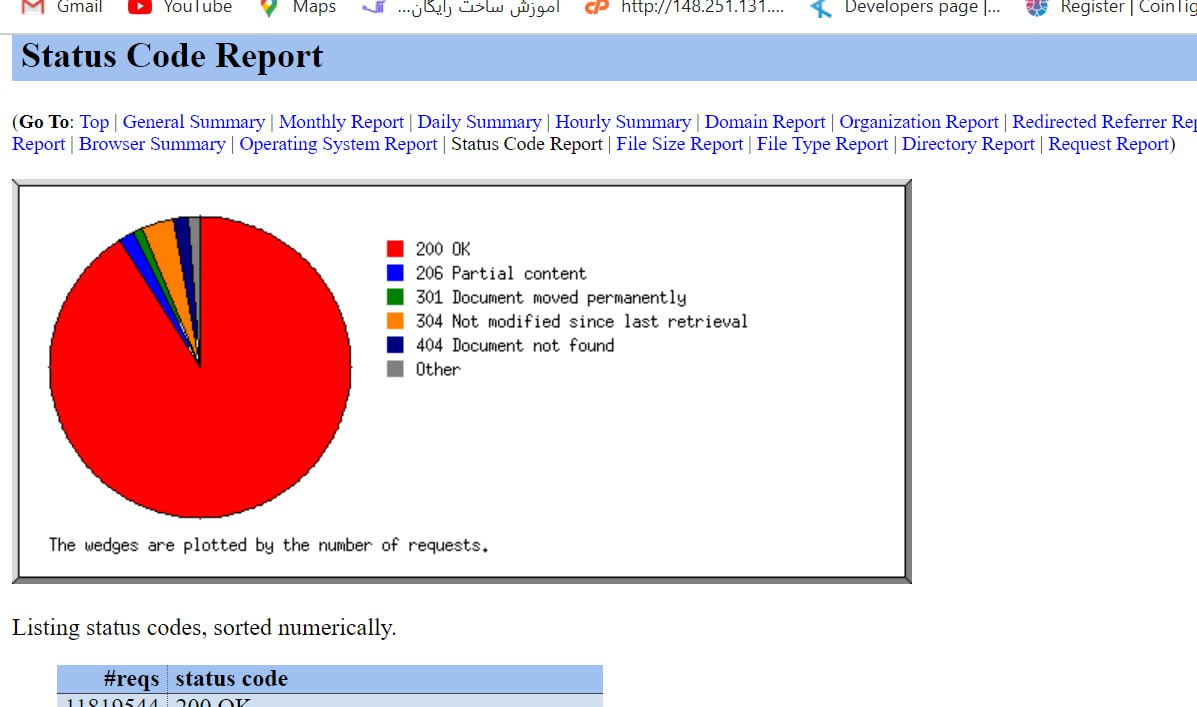
If you have cPanel, click the Analog Stats tool, then click your site’s address and pick the month you want the reports to cover.
This tool shows a complete and lengthy report about your site.
For example, which different websites sent visitors over to yours during the past month
or which pages were opened the most, plus a great deal of broad, complete information.
With this tool we always check the Status Code Report. So what does that part actually do?
It shows the site’s 500 and 404 errors and the rest, and that is how we can sort out the site’s problems easily.
Take note: if the site has a lot of 500 errors, you have a lot of problems on it.
Omid Bodagh

I am an SEO specialist who likes helping businesses get seen on Google. From WordPress to SEO, whatever an online business needs to grow, I can help with it.