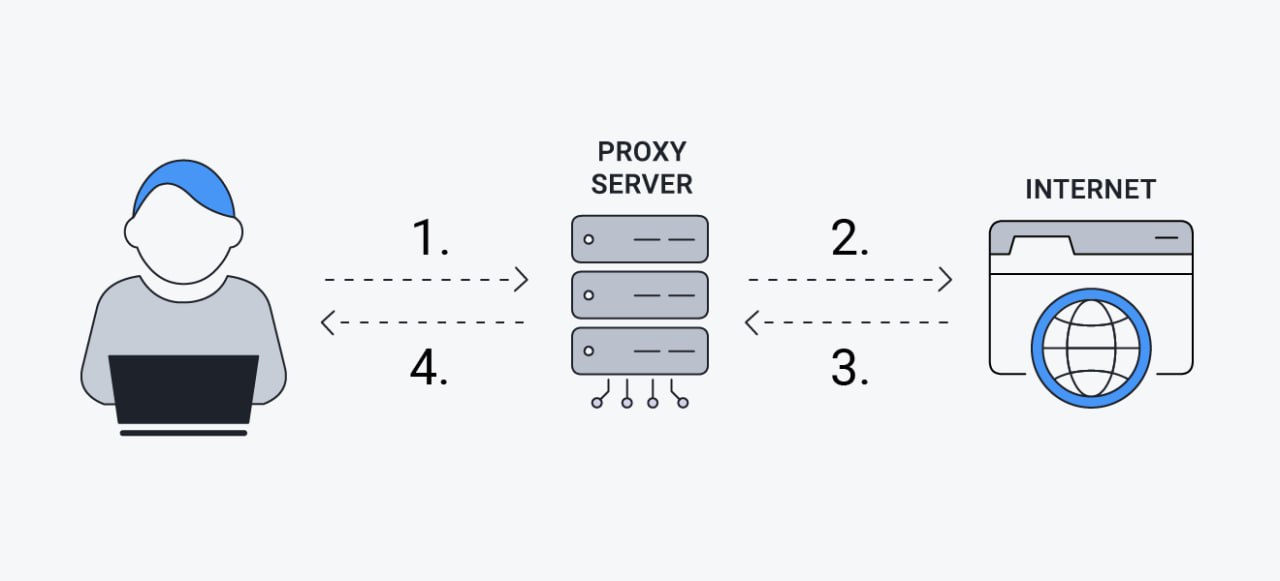
Imagine that your site needs to reach Telegram or Instagram, but your host is in Iran and it has to stay in Iran. What do you do? You build a proxy, which we will come back to later. Suppose you have built it and now want your site to connect through it: put this code in wp-config.php, and that is all it takes.
define('WP_PROXY_HOST', '182.232.1.1');
define('WP_PROXY_PORT', '8080');
define('WP_PROXY_USERNAME', 'user');
define('WP_PROXY_PASSWORD', 'password');
define('WP_PROXY_BYPASS_HOSTS', 'localhost, *.wordpress.org');
Put the IP address of your proxy server where 182.232.1.1 sits. In WP_PROXY_BYPASS_HOSTS, list the addresses that must not travel through the proxy, and be sure to keep localhost in it, otherwise requests to the server’s own connections get sent out to the proxy as well. In the following sections we will talk about setting the proxy up.
Omid Bodagh

I am an SEO specialist who likes helping businesses get seen on Google. From WordPress to SEO, whatever an online business needs to grow, I can help with it.